How We Built a Nail Salon Website with Elayne (Live Demo Inside)
The Problem with Generic WordPress Themes for Nail Salons
Most nail salon websites look the same: a pink header, a stock photo, and a booking button that goes nowhere. The template was designed for everyone, which means it works well for no one. A nail salon competes on atmosphere — the brand, the feel, the precision of the work. The website needs to reflect that before a client books their first appointment.
That’s what we set out to solve with Elayne’s nail salon vertical. Version 3.9.0 ships a complete nail salon design system — a dedicated style variation, seven production-ready patterns, 15 SVG icons, and a CC0 hero photo — all scoped to the nail salon aesthetic. You get a professional site that looks like it was designed specifically for the industry, because it was.
See It Live
Before we break down how it works: the nail salon vertical is live at demo.imagewize.com/nail-salon/. The demo runs on Elayne with the Nail Salon style variation active — exactly what you’d get after installing the theme and switching the style in Appearance → Editor → Styles → Nail Salon.
The demo salon is “Lacquer & Luxe,” a fictional brand created to show how the patterns work together at full fidelity. The hero photo is CC0. In production you’d replace it with real salon photography, swap the business name and contact details, and connect the booking form to your scheduling tool of choice.
The Design System
Before a single pattern was written, we defined a design system that works across the entire site — colors, typography, spacing, and interactive states. Everything in the nail salon vertical inherits from styles/nail-salon.json.
Color Palette
The palette is built around dusty rose and warm blush tones — the colors you associate with a high-end nail salon without crossing into candy pink territory. A warm near-black with rose undertones handles headings. Page backgrounds use a warm white, with a slightly tinted variant for alternating sections. Card borders use a soft blush tone that feels tactile rather than harsh.
Three gradients complete the system: a dark rose for the hero, a mid rose for booking sections, and a pale blush-to-white for soft section transitions. Three duotone filters — Dusty Rose, Warm Blush, and High Contrast — let you apply consistent photo treatment across the site without editing images manually.
Typography
The type pairing is deliberate. Cormorant Garamond handles headings — a high-contrast serif with the elegance you’d expect from luxury beauty brands. Quicksand handles body copy — a geometric sans-serif that stays legible at small sizes while keeping a soft, friendly character. Both fonts are self-hosted for privacy compliance and consistent loading performance.
Custom Block Styles
The nail salon variation also registers three block styles that appear in the editor’s Styles panel: a circular portrait crop for team member photos, a rose pill label for eyebrow badges and service tags, and a floating accent ring for overlaying experience badges on images.
Seven Patterns, One Complete Site
Each pattern is a self-contained section. Stack them in the page editor and you have a full nail salon homepage. Every pattern is available from Patterns → Salon in the block inserter.
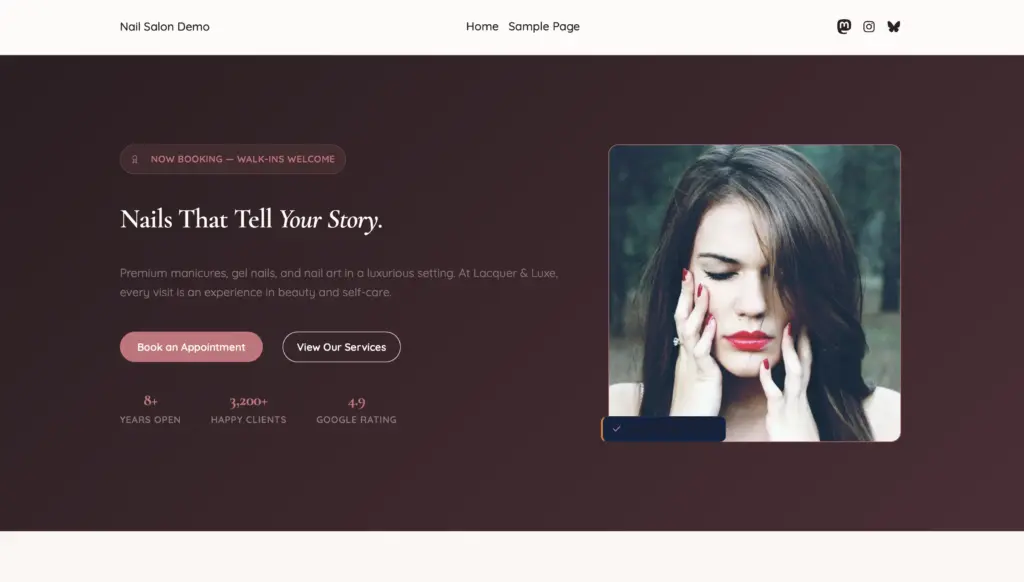
Hero — Two-column layout with text left and a rounded cover photo right. A floating rose pill badge reads “Now Booking — Walk-ins Welcome.” The headline uses a Cormorant Garamond italic flourish for personality without being heavy-handed. Two CTA buttons sit below: a filled “Book an Appointment” and an outline “View Services.”
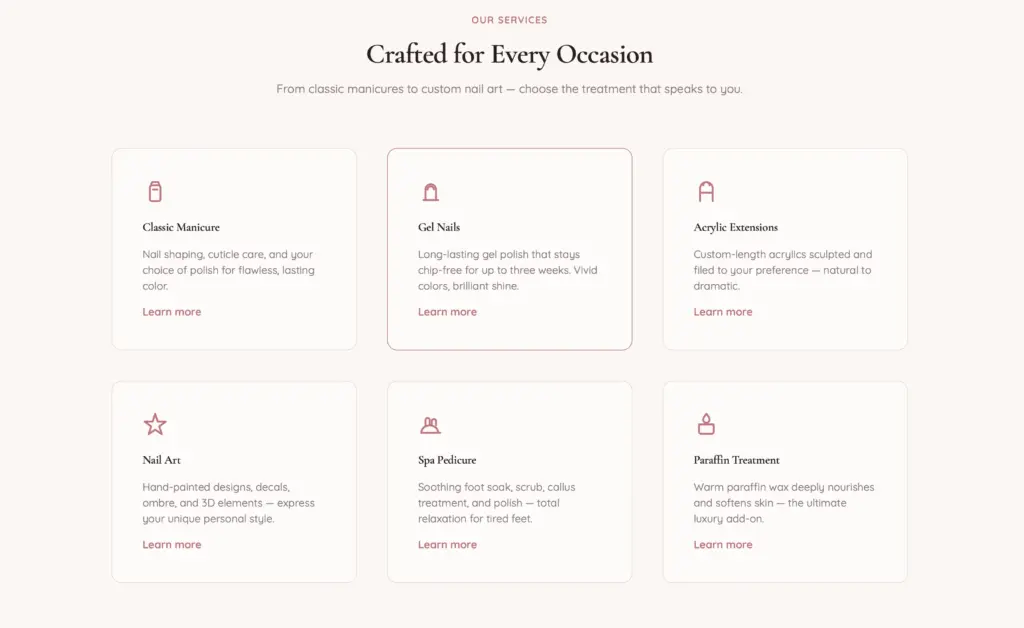
Services Grid — Six service cards in a responsive grid that adapts its column count automatically. Each card has a 40px SVG icon, a heading, a short description, and a price tag. The cards cover Classic Manicure, Gel Nails, Acrylic Extensions, Nail Art, Pedicure, and Paraffin Treatment.
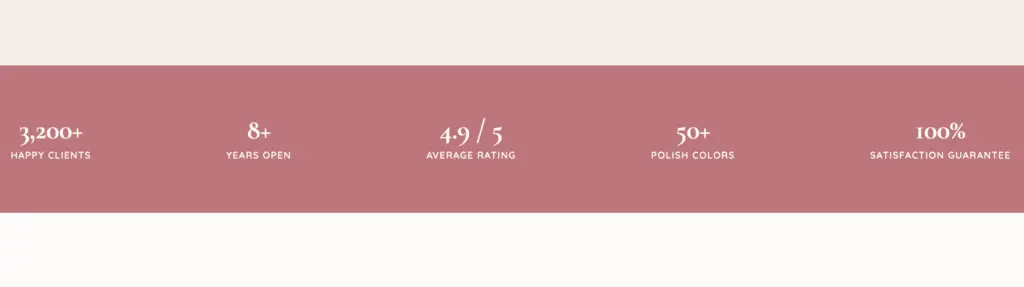
Stats Bar — Full-width rose background with five trust metrics: 3,200+ happy clients, 8+ years open, 4.9 Google rating, 500+ nail art designs, 100% satisfaction. Works as a visual break and a credibility signal between content sections.
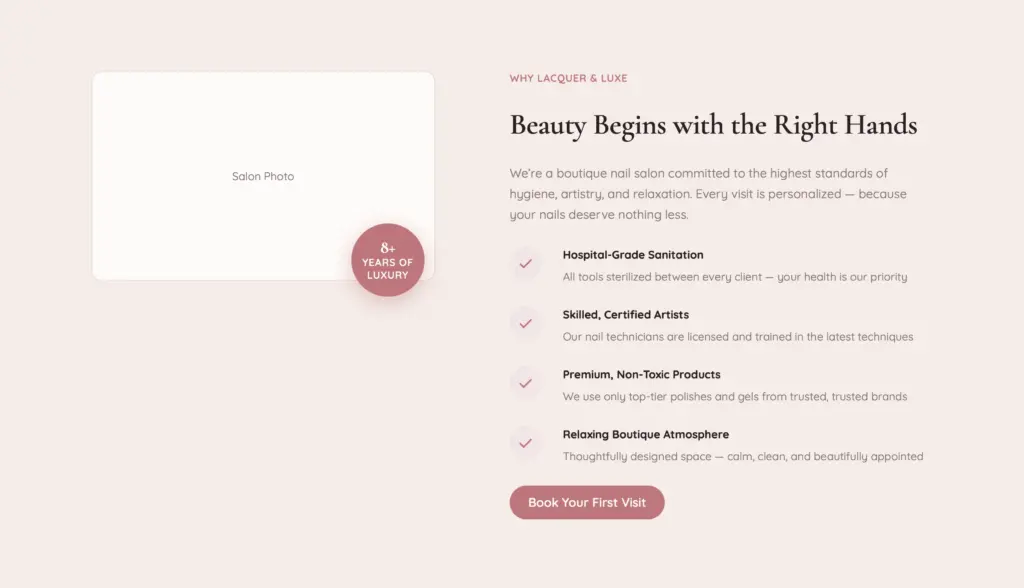
Why Choose Us — Image left, benefit list right. The image column uses Elayne’s overlay-grid-wrap technique to layer a floating “years of experience” badge over the photo using pure CSS grid — no JavaScript, no positioning hacks. Four benefits with check icons: Premium Products, Certified Technicians, Spotless Sanitation, and Boutique Experience.
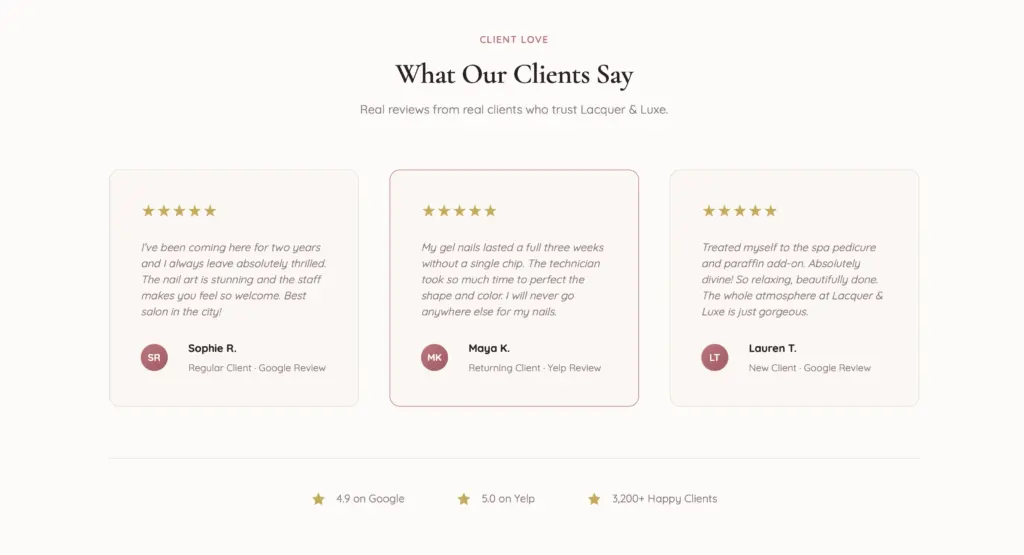
Testimonials — Three review cards with star ratings, quote text, and client attribution. The layout keeps the client name anchored to the bottom of each card regardless of quote length, so the grid stays clean even with varying review lengths.
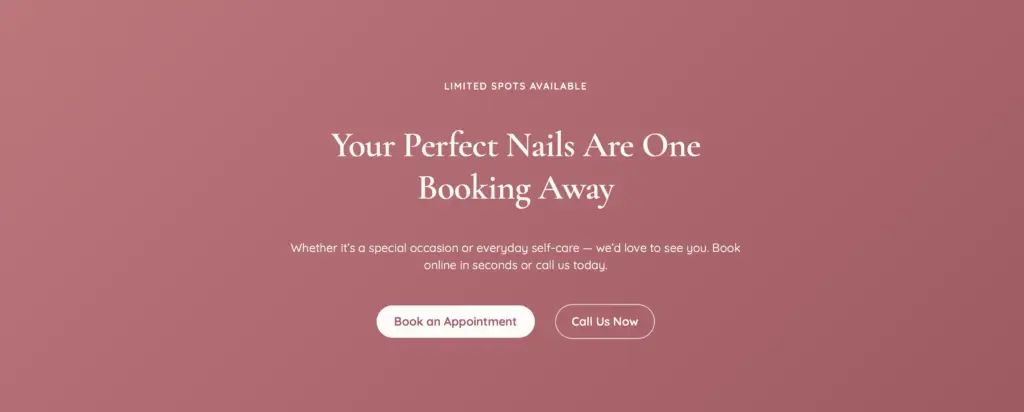
Booking CTA — Full-width gradient section with a centered headline, supporting copy, and two buttons. The eyebrow reads “Limited Spots Available” — a light urgency signal that’s honest for a small salon without being a dark pattern.
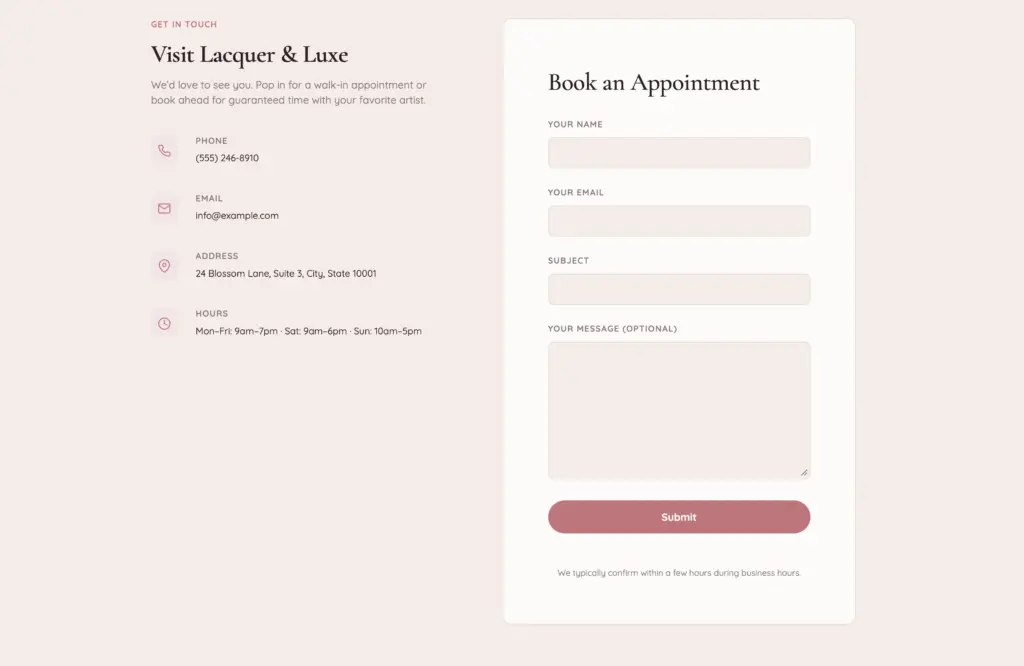
Contact — Two-column layout with address, phone, email, and opening hours on the left (each with a rose icon badge), and a booking form placeholder on the right for connecting to Calendly, Acuity, or a WPForms block.
Getting Started
Elayne is free on WordPress.org. Install it from Appearance → Themes → Add New, search for “Elayne,” and activate. Switch to the Nail Salon style from the Site Editor. The seven patterns appear under Patterns → Salon — drag them onto a page in whatever order makes sense for your site.
No page builder. No shortcodes. Everything ships in the free theme — no paywalls.
Want a Nail Salon Site Built for You?
Elayne gives you the foundation. If you want the full package — custom photography, booking integration, SEO configuration, and a design tuned to your brand — get in touch with Imagewize. We build on Elayne for SMEs across Europe and the US and can have a professional site live within weeks.
Comments are closed for this post.