Contact Form 7 CAPTCHA Image Not Showing? Missing PHP GD on Trellis
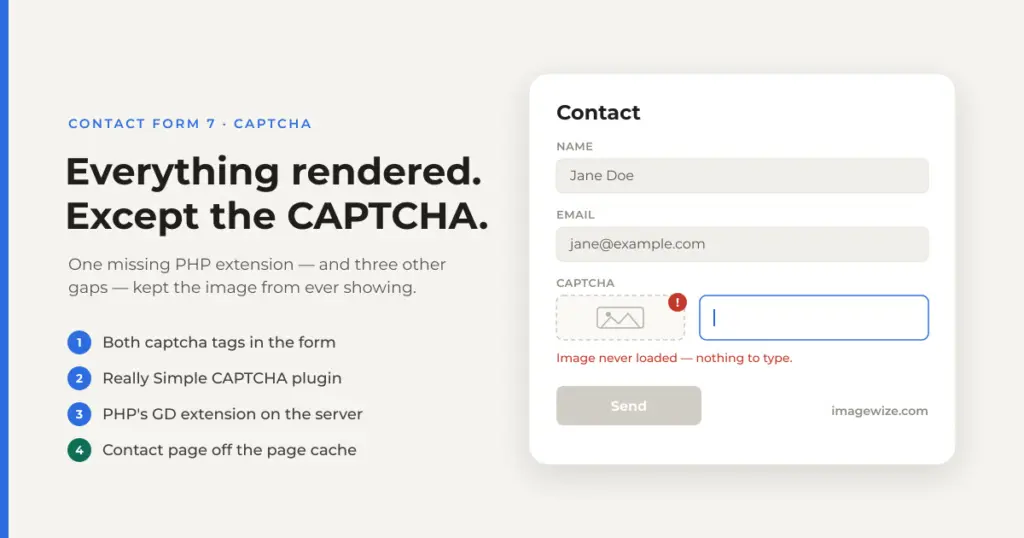
Adding a CAPTCHA to a Contact Form 7 form on one of our Bedrock/Trellis sites looked like a two-minute job: drop [captchar captcha-123] into the form template, save, done. Instead the form rendered fine — every field, the submit button, the layout — with no CAPTCHA image anywhere. No error in the form editor, no warning banner, just a gap where the image should have been. Getting to a working CAPTCHA took four separate fixes — two in the form template and plugins, one in our Trellis server’s PHP install, and one in Nginx’s page cache that only showed up after everything else was already working. Here is what was actually missing, in the order we found it. (CAPTCHA is just one layer of contact-form spam defense — but it only does its job once the image actually renders.)
Quick Summary: Contact Form 7’s [captchac]/[captchar] tags need four things to reliably show a working CAPTCHA: (1) both tags in the form template — captchac draws the image, captchar is just the answer input — (2) the separate Really Simple CAPTCHA plugin installed and active, (3) PHP’s GD extension on the server, which Really Simple CAPTCHA calls directly to generate the image, and (4) the contact page excluded from any full-page cache, since the CAPTCHA image and its answer file are generated fresh on every page load. Miss GD and you get a hard PHP fatal error (Call to undefined function imagetypes()) and a 500. Miss the cache exclusion and the CAPTCHA renders fine but intermittently rejects correct answers, because every visitor within the cache window is being served someone else’s already-used challenge.
What’s Covered
- What We Saw
- Fix 1: CF7 CAPTCHA Needs Two Tags, Not One
- Fix 2: Install the Really Simple CAPTCHA Plugin
- Fix 3: PHP’s GD Extension Was Never Installed on Trellis
- Gotcha: A Stale APT Index Caused a 404
- Gotcha: A Failed Loop Item Can Skip the php-fpm Restart
- Provisioning PHP Doesn’t Deploy Your Plugin
- Fix 4: The Contact Page Needed a FastCGI Cache Exclusion
- If You’re Hitting This Too
- Frequently Asked Questions
What We Saw
The form editor showed exactly what we’d typed — a labeled CAPTCHA field with [captchar captcha-123] — and CF7 saved it without complaint. On the live contact page, though, the rendered form had a text input sitting under the “Service” field with nothing above it: no image, no challenge text, nothing to answer. Every other field (name, email, subject, message) worked normally. Only the CAPTCHA was silently incomplete.
That first gap turned out to be self-inflicted. Contact Form 7 splits the CAPTCHA into two separate form tags, and only one had been added. (CF7’s form-tag syntax is more capable than it looks — the same mechanism lets you pre-populate a field from a URL parameter, for instance.)
Fix 1: CF7 CAPTCHA Needs Two Tags, Not One
CF7’s modules/really-simple-captcha.php registers two separate form tags:
[captchac]— the CAPTCHA image (the challenge)[captchar]— the CAPTCHA input (where the visitor types the answer)
Adding only [captchar] — which is the tag most copy-pasted snippets and old tutorials lead with, since it’s the one that looks like a normal form field — gives you a working input box with nothing to answer against. You need both, and they share the same identifier so CF7 knows which image goes with which input:
<label> Captcha
[captchac captcha-123]
[captchar captcha-123]</label>
With just that change, the warning shifted from “nothing renders” to something far more explicit — CF7 started printing a plain-text warning in place of the image:
Warning: The Really Simple CAPTCHA plugin is not active.
That’s wpcf7_captchac_form_tag_handler() doing exactly what it’s designed to do: [captchac] is just a form-tag handler shipped inside Contact Form 7 itself — it doesn’t generate images on its own. It delegates to a class called ReallySimpleCaptcha, and if that class doesn’t exist, you get this warning instead of a fatal error.
Fix 2: Install the Really Simple CAPTCHA Plugin (Separately)
This is the part that’s easy to miss because Contact Form 7 ships the form tag handlers for CAPTCHA, but not the actual image-generation engine. That lives in a standalone WordPress.org plugin, Really Simple CAPTCHA, which CF7’s own module checks for by name:
function wpcf7_captchac_form_tag_handler( $tag ) {
    if ( ! class_exists( 'ReallySimpleCaptcha' ) ) {
        return wp_kses_data( sprintf(
            __( '<strong>Warning:</strong> The <a href="%s">Really Simple CAPTCHA</a> plugin is not active.', 'contact-form-7' ),
            'https://wordpress.org/plugins/really-simple-captcha/'
        ) );
    }
    // ...
}
Our Bedrock site manages plugins through Composer, pulled from our own package mirror rather than raw wpackagist — every other WordPress.org plugin in composer.json uses a wp-plugin/* package name, so we added this one the same way instead of mixing conventions:
// site/composer.json
"require": {
    // ...
    "wp-plugin/contact-form-7": "^6.0",
    "wp-plugin/contact-form-7-dynamic-text-extension": "^5.0",
    "wp-plugin/contact-form-7-honeypot": "^3.5",
    "wp-plugin/really-simple-captcha": "^2.0"
}
cd site
composer update wp-plugin/really-simple-captchaComposer locked 2.4, dropped it into web/app/plugins/really-simple-captcha/, and one WP-CLI call turned it on:
wp --path=web/wp plugin activate really-simple-captchaWith both form tags in place and the plugin active, reloading the contact page should have finally shown a CAPTCHA image. Instead, it showed an Acorn/Laravel exception page.
Fix 3: PHP’s GD Extension Was Never Installed on Trellis
The exception was blunt:
Call to undefined function imagetypes()
web/app/plugins/contact-form-7/modules/really-simple-captcha.php:423
imagetypes() is a core function of PHP’s GD extension. Really Simple CAPTCHA calls it directly to draw the challenge image, and on our server it simply didn’t exist:
php -m | grep -i gd
# (no output)
Trellis’s php role installs a sensible default set of extensions, defined in trellis/roles/php/vars/version-specific-defaults.yml:
php_extensions_default:
  "php{{ php_version }}-bcmath": "{{ apt_package_state }}"
  "php{{ php_version }}-cli": "{{ apt_package_state }}"
  "php{{ php_version }}-curl": "{{ apt_package_state }}"
  "php{{ php_version }}-dev": "{{ apt_package_state }}"
  "php{{ php_version }}-fpm": "{{ apt_package_state }}"
  "php{{ php_version }}-imagick": "{{ apt_package_state }}"
  "php{{ php_version }}-intl": "{{ apt_package_state }}"
  "php{{ php_version }}-mbstring": "{{ apt_package_state }}"
  "php{{ php_version }}-mysql": "{{ apt_package_state }}"
  "php{{ php_version }}-xml": "{{ apt_package_state }}"
  "php{{ php_version }}-xmlrpc": "{{ apt_package_state }}"
  "php{{ php_version }}-zip": "{{ apt_package_state }}"
php-imagick is on that list — but Imagick and GD are different extensions with different APIs, and Really Simple CAPTCHA is written against GD specifically. Having Imagick installed does nothing for a plugin that calls imagetypes(), imagecreate(), and friends.
The role’s defaults file has a documented, purpose-built override hook for exactly this — php_extensions_custom, which gets merged on top of the defaults in roles/php/defaults/main.yml:
php_extensions_custom: {}
php_extensions: "{{ php_extensions_default | combine(php_extensions_custom) }}"
So the fix was three lines in trellis/group_vars/all/main.yml, applying to development, staging, and production alike:
php_version: "8.4"
php_extensions_custom:
  "php{{ php_version }}-gd": "{{ apt_package_state }}"
Then a scoped provision to apply just the PHP role:
cd trellis
trellis provision --tags php production
Gotcha: A Stale APT Index Made the First Provision Fail With a 404
The first provisioning run didn’t install GD at all — it failed with a 404 fetching the package from the Ondřej Surý PHP PPA:
Err:1 https://ppa.launchpadcontent.net/ondrej/php/ubuntu noble/main arm64 php8.4-gd
  arm64 8.4.22-1+ubuntu24.04.1+deb.sury.org+1
  404 Not Found
The server’s cached APT package index still pointed at version 8.4.22-1, but that specific arm64 build had already been superseded on the PPA’s mirror by 8.4.23-1 — the old file was gone from the pool entirely, while the local index hadn’t caught up. Every other extension in the list (bcmath, cli, curl, imagick, and the rest) installed fine because their cached versions still matched what was actually on the mirror; only gd happened to have shipped a point release recently enough to hit the gap.
Re-running the exact same trellis provision --tags php command a second time was enough — Ansible’s apt module refreshes the cache and retries on failure, and by the second pass the index had caught up and the correct 8.4.23-1 build installed cleanly. If a package 404s on a Trellis provision with a version string baked into the URL, that mismatch between “what the cached index says” and “what’s actually in the pool” is worth checking before assuming the package is genuinely unavailable.
Gotcha: A Failed Loop Item Can Skip the php-fpm Restart Handler
On the production run, the extension install task loops over every package in php_extensions as separate items. When one item in that loop failed (the same transient PPA-index issue, this time on bcmath, which was already installed from a previous provision), Ansible logged that item as failed but continued on to install the rest — including gd, which came back changed. The play recap still showed failed=1 for the host, though, and a play that ends with a failure doesn’t reliably flush notified handlers for that host — so the “restart php-fpm” handler that should fire on a changed PHP install may never run.
Practical takeaway: after any trellis provision --tags php run that reports a failure anywhere in the recap, don’t assume a successful-looking “changed” item for the package you actually care about means you’re done. Confirm the module loaded, and restart PHP-FPM manually if the play didn’t complete cleanly:
ssh web@yourserver.com "php -m | grep -i gd"
ssh web@yourserver.com "sudo -n /usr/sbin/service php8.4-fpm reload"
That second command works without a password because Trellis’s web deploy user gets a narrowly scoped, passwordless sudo rule baked in during provisioning — NOPASSWD: /usr/sbin/service php8.4-fpm * — specifically so deploy automation can reload PHP-FPM without needing the full-admin warden user’s password. It’s worth knowing that rule exists; it’s exactly the escape hatch for situations like this one where a handler might not have fired.
Provisioning PHP Doesn’t Deploy Your Plugin
One more sequencing trap: trellis provision --tags php only touches server-level PHP configuration. It has nothing to do with your application code or Composer dependencies. Committing wp-plugin/really-simple-captcha to composer.json/composer.lock and pushing to git does not put the plugin on the server — that only happens on the next real deploy, which runs composer install against the release:
cd trellis
ansible-playbook deploy.yml -e env=production -e site=yoursite.com
Confirm the plugin actually landed before assuming activation will work:
ssh web@yourserver.com \
  "cd /srv/www/yoursite.com/current && wp --path=web/wp plugin status really-simple-captcha"
Then activate it the same way we did in development:
ssh web@yourserver.com \
  "cd /srv/www/yoursite.com/current && wp --path=web/wp plugin activate really-simple-captcha"
Fix 4: The Contact Page Needed a FastCGI Cache Exclusion
With the plugin active and GD installed, the CAPTCHA image rendered and the form worked — for a while. It then failed intermittently: a visitor would read the image correctly, type the right answer, and still get “The answer to the CAPTCHA is invalid.” The pattern didn’t correlate with anything in the form itself, which pointed at something outside CF7 entirely.
Our production Trellis stack full-page caches responses through Nginx’s fastcgi_cache, with a per-site allowlist of URI patterns and cookies that skip the cache — trellis/group_vars/production/wordpress_sites.yml already excluded /wp-admin/, /wp-json/, and the WooCommerce cart/checkout/account paths. The contact page was not on that list:
cache:
  enabled: true
  skip_cache_uri: /wp-admin/|/wp-json/|/xmlrpc.php|wp-.*.php|/feed/|index.php|sitemap(_index)?.xml|/store.*|/cart.*|/my-account.*|/checkout.*|/addons.*
That mattered because Really Simple CAPTCHA is stateful per page load, not per session. Every time /contact/ is rendered, it writes a fresh image + answer-text file pair to disk under a random prefix and embeds that prefix in a hidden field next to the <img> tag. Nginx was caching that generated HTML like any other page:
- Every visitor within the cache TTL sees the exact same cached page — the same image, the same hidden prefix — regardless of who requested it.
- The first person to actually submit the form causes Really Simple CAPTCHA to invalidate that prefix’s files as part of validating it.
- Every visitor after that, still looking at the same cached page, submits a correct answer against a prefix whose backing file is already gone — and gets rejected.
- Once the cache entry expires, a fresh page load generates a new prefix and the cycle resets — which is exactly why it looked like it “worked, then randomly stopped.”
The actual form submission was never the problem — POSTs are already unconditionally excluded from the cache by the config’s $request_method !~ ^(GET|HEAD)$ check, and the AJAX submission path through /wp-json/ was already excluded too. It was specifically the initial GET of the contact page — the one that generates the CAPTCHA — that needed to stay off the cache. The fix was one addition to the existing allowlist, following the same pattern already used for the WooCommerce paths:
skip_cache_uri: /wp-admin/|/wp-json/|/xmlrpc.php|wp-.*.php|/feed/|index.php|sitemap(_index)?.xml|/store.*|/cart.*|/my-account.*|/checkout.*|/addons.*|/contact.*Nginx config changes on Trellis need a re-provision, not a deploy, and specifically the tags that render the site’s Nginx template and its includes:
cd trellis
trellis provision --tags nginx,wordpress-setup production
We confirmed the change actually reached the live config before calling it done:
ssh web@yourserver.com "grep 'skip_cache_uri\|contact' /etc/nginx/sites-enabled/yoursite.com.conf"If your site has any full-page cache — Nginx fastcgi_cache, Batcache, WP Super Cache, W3 Total Cache, or a CDN caching HTML — this applies regardless of stack. Any page that generates a per-request token (a CAPTCHA, a nonce-protected form, a cart fragment) needs to be excluded from full-page caching, or the token gets frozen into the cached HTML and handed out to every visitor until it expires or gets consumed.
If You’re Hitting This Too
- Check your CF7 form template has both
[captchac your-id](image) and[captchar your-id](input) — not just one. - If you see the “Really Simple CAPTCHA plugin is not active” warning, install and activate that specific plugin — CF7 doesn’t bundle the image engine itself.
- If activating the plugin gives you a 500 with
Call to undefined function imagetypes()(or similar GD functions), your server’s PHP is missing thegdextension. Check withphp -m | grep -i gd. - On Trellis, add
php_extensions_customwith your PHP version’s-gdpackage togroup_vars/all/main.ymland runtrellis provision --tags php <environment>. - If that provision 404s on a specific package version, re-run it once before troubleshooting further — a stale local APT index that hasn’t caught up to a mirror’s latest point release is a common, self-resolving cause.
- After any provision run with failures elsewhere in the recap, verify the module loaded and manually reload PHP-FPM if needed — don’t trust the handler fired.
- Remember Composer plugin additions need a real deploy, not a provision, to reach the server.
- If the CAPTCHA renders but intermittently rejects correct answers, check whether your contact page is behind a full-page cache and exclude it — the same way cart/checkout pages already are.
Four fixes had to line up for one CAPTCHA field, across three delivery mechanisms: the form template (edited in wp-admin, lives in the database), the Really Simple CAPTCHA plugin (Composer plus a real deploy), the GD extension (Trellis provisioning), and the cache exclusion (Trellis provisioning again, this time the Nginx tags). Miss any one and you get a different failure mode — a blank gap, a plain-text warning, a 500, or a CAPTCHA that works and then randomly rejects correct answers — which is exactly why it took several passes to land. If you spend a lot of time in this stack, our Trellis and Bedrock developer workflow walks through how provisioning, Composer, and deploys fit together day to day.
Frequently Asked Questions
- Why does my Contact Form 7 CAPTCHA show an input box but no image? You’ve added
[captchar](the answer input) without[captchac](the image). Both tags, sharing the same identifier, are required — CF7 treats them as separate form tags. - Why does CF7 say the Really Simple CAPTCHA plugin is not active even though I added the captchac tag? Contact Form 7 only ships the form-tag handlers for
[captchac]/[captchar]; the actual image-generation code lives in the separate, standalone Really Simple CAPTCHA plugin, which must be installed and activated on top of CF7. - What causes “Call to undefined function imagetypes()” when activating a CAPTCHA plugin? PHP’s GD extension isn’t installed on the server.
imagetypes()is a core GD function that Really Simple CAPTCHA calls directly to render the challenge image. Imagick being installed doesn’t help — it’s a different extension with a different API. - How do I add a missing PHP extension to a Trellis server? Add it via the
php_extensions_customvariable (which merges on top of the role’s defaults) ingroup_vars/all/main.ymlor an environment-specificgroup_varsfile, then runtrellis provision --tags php <environment>. - Does trellis provision –tags php deploy my plugin changes too? No. Provisioning only manages server-level configuration like installed PHP extensions. Composer-managed plugins are pulled onto the server by a real deploy (
ansible-playbook deploy.yml), which runscomposer installagainst the release. - Why does my CAPTCHA work sometimes and reject correct answers other times? This is a strong signal that your contact page is being served from a full-page cache. Really Simple CAPTCHA generates a new image and answer file on every page load; if that HTML gets cached, every visitor sees the same challenge until the first real submission invalidates it — after which everyone else’s correct answer fails until the cache entry expires. Exclude the contact page’s URI from your cache (Nginx
fastcgi_cache, Batcache, or your CDN) the same way cart/checkout pages typically already are.
Done Chasing PHP Extensions Across Environments?
We build and manage Trellis + Bedrock WordPress hosting where server configuration, PHP extensions, and Composer-managed plugins stay in sync across development, staging, and production — no manual apt install on a live box, no guessing what’s actually deployed.
- Trellis + Bedrock on Hetzner EU (Frankfurt / Helsinki)
- PHP extension and server config management via Ansible, version-controlled
- Contact Form 7, WooCommerce, and plugin troubleshooting across the full stack
- From €49/month — or €65/hour for one-off server work
Comments are closed for this post.