WooCommerce Block Theme
Marin: a WooCommerce theme that starts as a finished store
A free, lean block theme for online shops. Product, shop, search and cart pages are already designed, so a store build starts from a working shop instead of a blank theme. See it running with a skincare catalog.
Why a store needs its own theme
Most WooCommerce stores run on a general-purpose theme that treats the shop as an afterthought. The product page, the filters and the cart each get restyled one by one, and the result slows down as plugins pile on.
Marin goes the other way. It is a full-site-editing theme made for stores. The design system lives in one file, the WooCommerce templates ship with the theme, and there is no pattern library to strip out before launch.
What is in the WooCommerce block theme
Shop and product templates
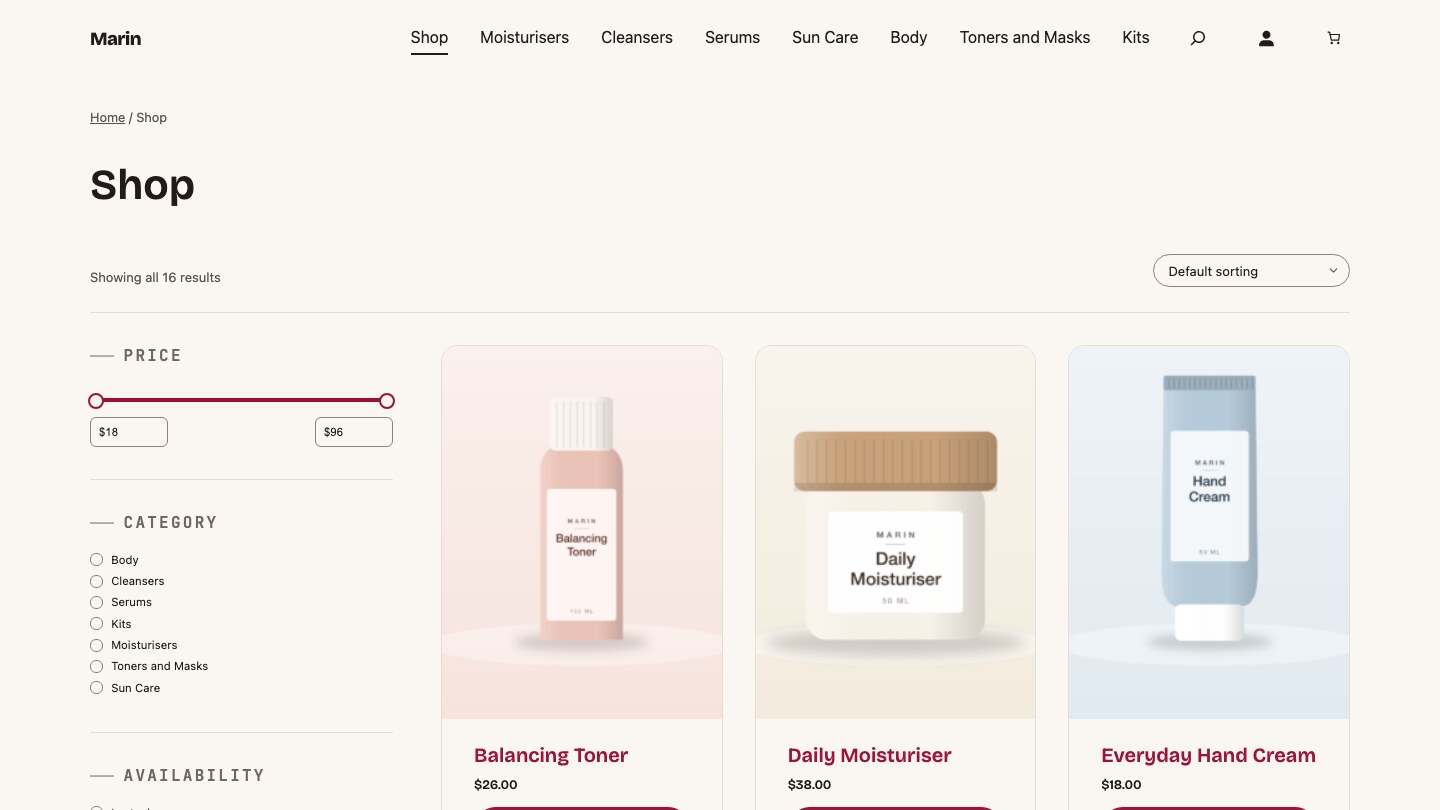
The product archive has a results count, sorting and a filter sidebar for price, category, availability and rating. Product search has its own results page and empty state.
Single product page
It uses the block-based add to cart, with separate layouts for simple and variable products.
Cart, checkout and order confirmation
Cart and checkout use WooCommerce’s own block templates on purpose, so they stay compatible with payment plugins and updates. The order confirmation page is themed.
Store Home page
One ready-made front page: hero, trust bar, category cards, bestsellers, a routine section, story, stats, reviews and a closing call to action.
Three style variations
Store (warm retail), Skincare (sage and cream) and Twilight (dark with a rose accent). Switch them under Appearance, Editor, Styles.
Coming-soon template
It wraps WooCommerce’s coming-soon mode in the theme’s own header and footer, so a pre-launch shop still looks like the brand.
Three looks, one theme
Marin ships three style variations on the same templates. Switch between them under Appearance, Editor, Styles. Here is the category section of the Store Home page in each.
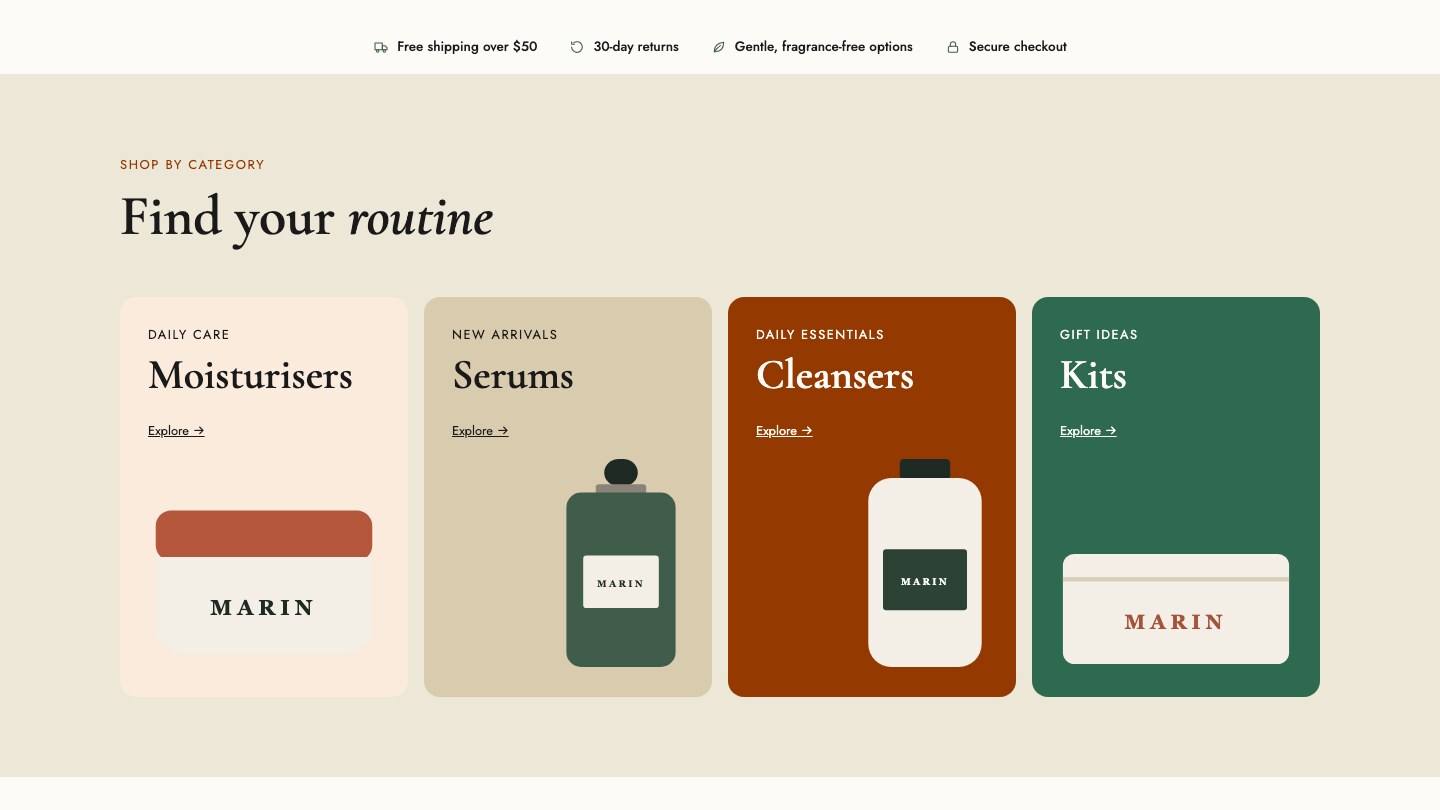
Store
Warm retail palette, with self-hosted Cormorant Garamond and Jost.
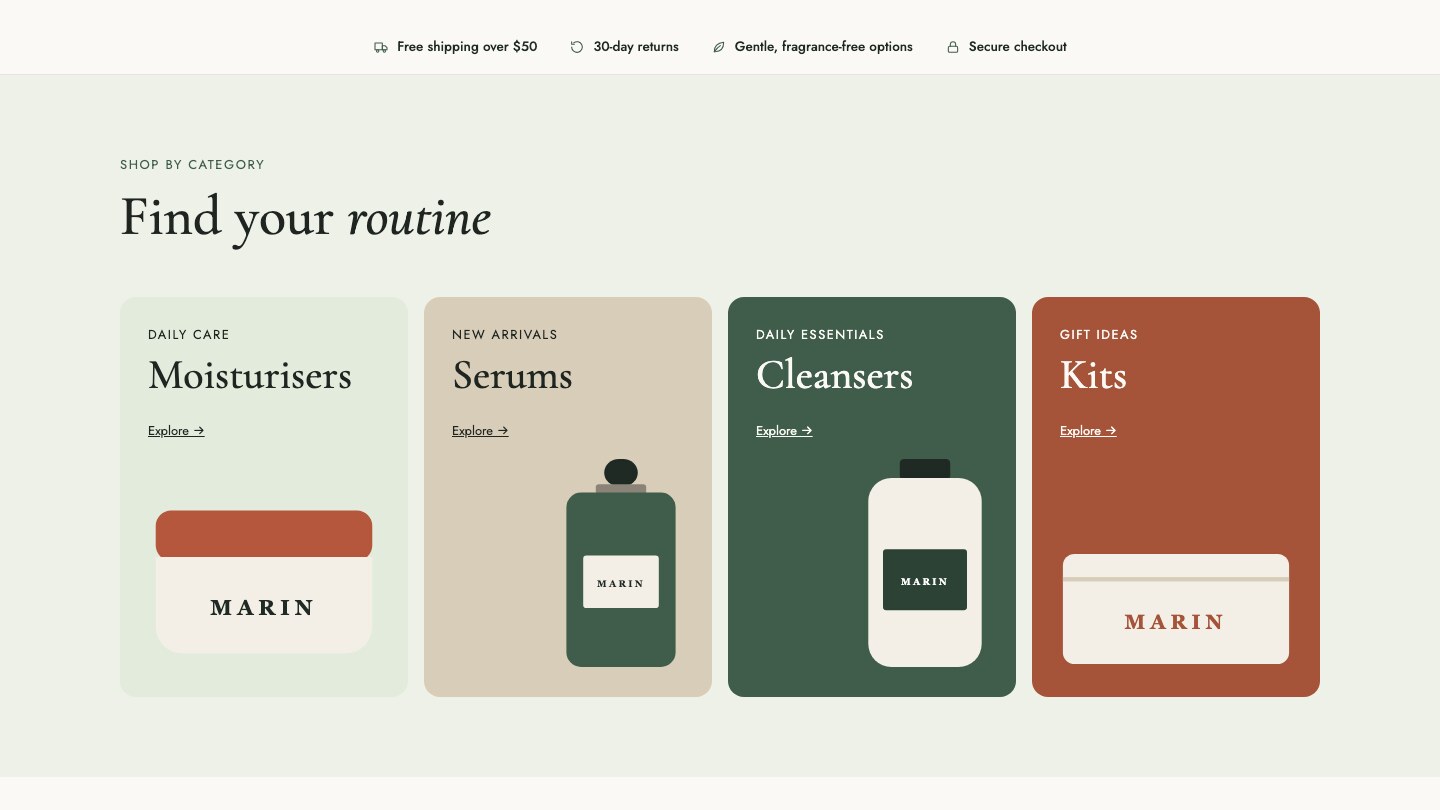
Skincare
Calm sage and cream, with the same fonts.
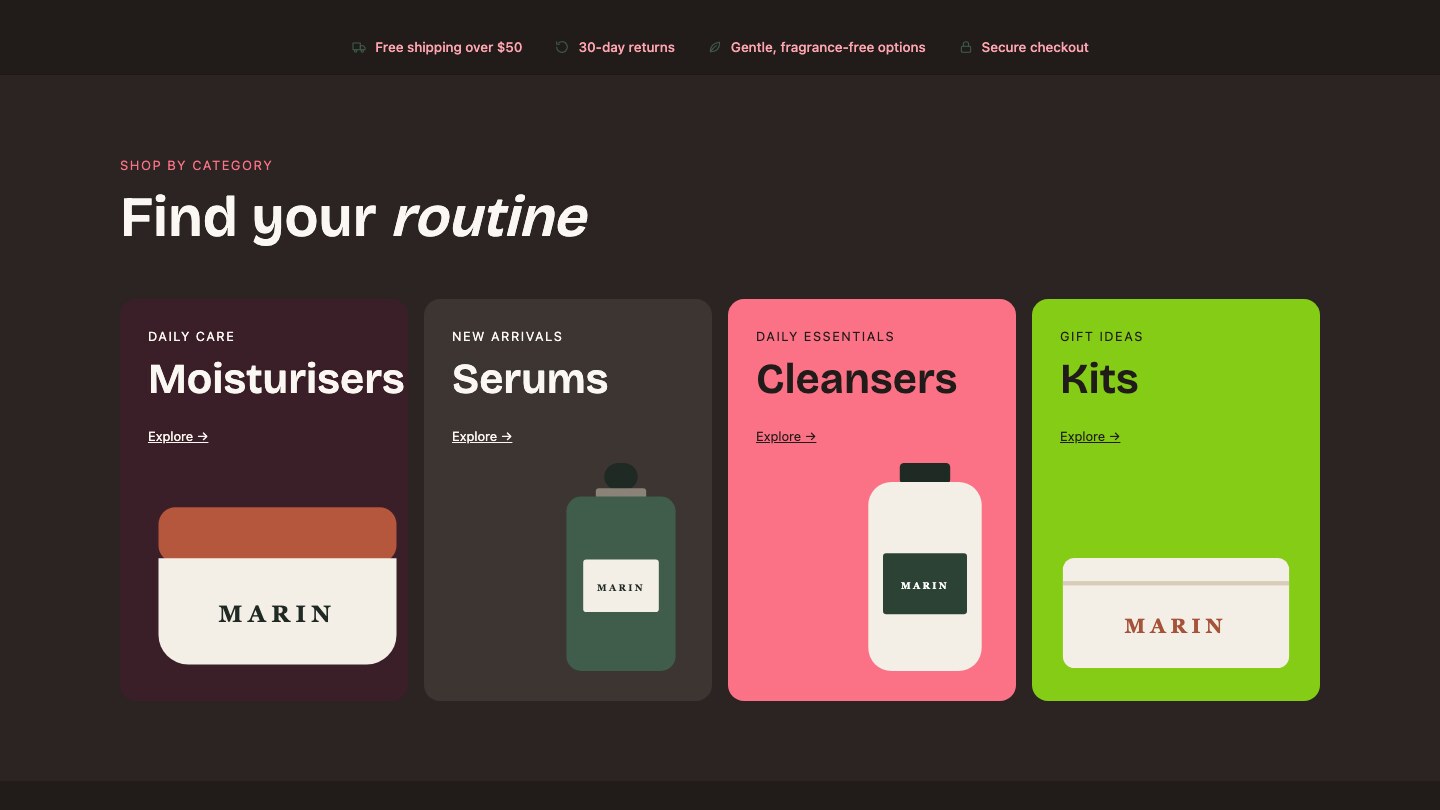
Twilight
Dark, with a rose accent.
See it running
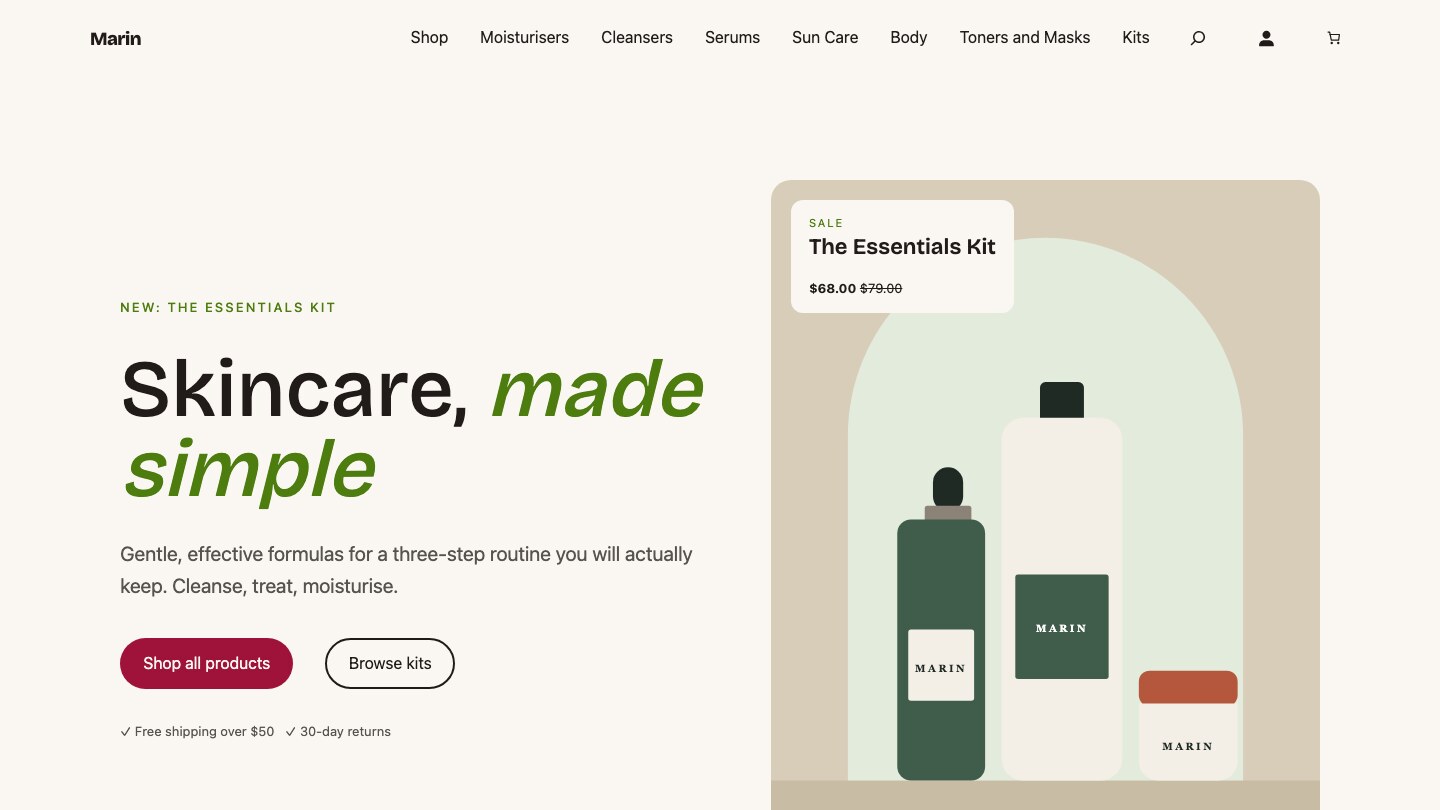
The demo is a skincare shop with 16 products, seven categories, variable products and sale prices. Open the shop, filter a category, add something to the cart and walk through to checkout. It is the same theme a client store would start from.
Two ways to use Marin
Use it yourself
Free, GPL v3
What you get
The theme from GitHub or Composer, plus a demo content seeder.
Best for
Developers and agencies who want a lean WooCommerce base.
Have it built for you
Fixed-price quote, from €999
What you get
Your own store theme forked from Marin: your brand, your products, your hosting.
Best for
Shop owners who want a store that is designed, built and checked for them.
For a client build I fork Marin into a theme of its own with your palette, fonts and page patterns, so your store never depends on a shared theme. I also host it on managed WordPress hosting in the EU, US or Australia if you want everything in one place.
For the developers: requirements and install
Source: github.com/imagewize/marin (demo content: marin-demo-content). Marin needs WordPress 6.6 or later and PHP 8.0 or later, and is tested up to WordPress 7.1. WooCommerce is the point of the theme, and the store templates are filtered out cleanly when it is inactive. The Aludra block plugin is recommended, and the Store Home pattern needs it.
composer require imagewize/marin
composer require imagewize/aludra

git clone https://github.com/imagewize/marin-demo-content.git
cd marin-demo-content
wp eval-file seed-skincare-products.php
Marin is a GitHub template repository. Create a repo from it, run the “Rename theme from template” workflow, and the CSS prefixes, PHP function prefix, text domain and package names become your own.
Frequently asked questions
- Is Marin free? Yes. Marin is open source under the GPL v3. You can download it from GitHub or install it with Composer. A custom store build on top of it is a paid, fixed-price project.
- Does Marin work without WooCommerce? It runs, but it is made for stores. With WooCommerce inactive, the shop templates and the header mini cart are hidden instead of showing as broken blocks.
- Do I need the Aludra plugin? No, but the Store Home front page is built from Aludra blocks. Without Aludra the theme still works with core blocks, and that one pattern stays hidden.
- How is Marin different from Elayne? Elayne is a general business theme with a large pattern library. Marin is narrower: it is built for WooCommerce stores and replaces Elayne’s store vertical for client e-commerce work.
- How much does a store built on Marin cost? Store builds start at €999 and are quoted at a fixed price once the scope is clear: number of products, payment methods, shipping and any custom pages.
Related
- WooCommerce development: store builds, fixes and speed work.
- Managed WordPress hosting: where Marin stores run.
- Elayne: the general business theme with industry patterns.
- All Imagewize themes
Planning a WooCommerce store?
Tell me what you sell and roughly how many products. You get a fixed-price quote within one business day, and you can see the theme running before you decide.