The European Accessibility Act and Your WooCommerce Store: What EU Shop Owners Must Do in 2026
I’m Jasper Frumau, a WordPress and WooCommerce developer with 15+ years building EU stores. Since June 28, 2025, the European Accessibility Act (EAA) has been in force across all 27 member states — and unlike GDPR, which every shop owner heard about for years in advance, this one arrived quietly. Most of the WooCommerce store owners I speak to in the Netherlands, Belgium, Germany, and France either haven’t heard of it or assume it’s someone else’s problem. Some are right. Many aren’t.
This guide answers the only two questions that matter first: does the EAA actually apply to your store, and if it does, what do you have to change? I’ll cover who’s exempt (a lot of smaller shops are), what “accessible” means in concrete WooCommerce terms, where stores most commonly fail, and how to check yours without hiring a specialist for the first pass. Written for shop owners, not developers. Last updated: July 6, 2026.
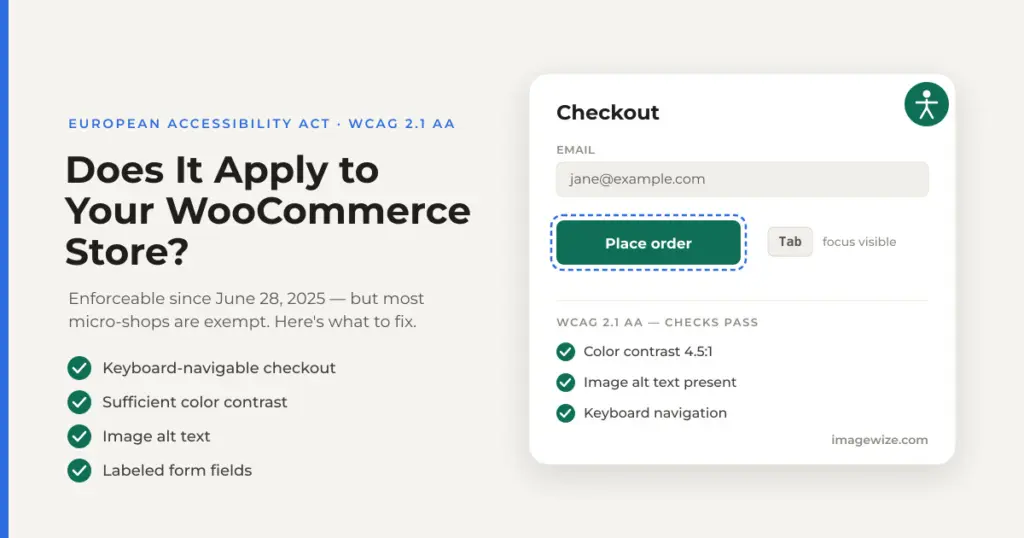
Quick Summary: The European Accessibility Act requires online shops selling to EU consumers to meet WCAG 2.1 level AA — the same accessibility standard used for public-sector sites. It’s been enforceable since June 28, 2025. But there’s a real exemption: micro-enterprises that provide services — under 10 employees and under €2 million annual turnover — are exempt, and most one-person WooCommerce shops fall under it. If you’re above either side of that threshold (10+ staff, or €2M+ turnover), you must comply. Compliance is mostly practical front-end work: keyboard-navigable checkout, sufficient color contrast, image alt text, properly labeled form fields, visible focus states, and a published accessibility statement. Fines vary by country but reach €100,000 per violation in some member states. Beware “accessibility overlay” widgets that promise instant compliance — they don’t deliver it.
In This Guide
- Does the EAA Actually Apply to Your WooCommerce Store?
- What the EAA Requires: WCAG 2.1 AA in Plain Terms
- Where WooCommerce Stores Most Commonly Fail
- The Accessibility Statement (the Requirement Everyone Forgets)
- How to Audit Your Store in an Afternoon
- Why Accessibility Overlay Widgets Aren’t a Shortcut
- Frequently Asked Questions
Does the EAA Actually Apply to Your WooCommerce Store?
The European Accessibility Act is an EU directive designed to make key products and services usable by people with disabilities — around 87 million people across the EU. E-commerce is explicitly named in scope: if you sell products or services online to consumers in the EU, the Act treats your store as a covered service. Crucially, this applies regardless of where your business is based — a UK, US, or Swiss store selling to EU consumers is in scope just as a Dutch one is.
Before you panic, though, check the exemption — because it’s the single most important line in this whole guide for smaller shops. The EAA carves out micro-enterprises that provide services, and e-commerce counts as a service. A micro-enterprise under EU law is a business that meets both of these:
| Micro-enterprise test (both must be true) | Threshold |
|---|---|
| Number of employees | Fewer than 10 |
| Annual turnover or balance sheet total | Not exceeding €2 million |
If your store is a one-person operation or a small team under both limits, you are — as an online service provider — exempt from the EAA’s mandatory requirements. That covers a large share of the SME WooCommerce shops I work with. But there are four caveats worth understanding before you close this tab:
- The exemption is for service providers, not product manufacturers. If you make the physical products you sell (rather than reselling them), the manufacturer-facing rules can apply regardless of your size. A small brand producing its own goods is in a different position than a shop reselling others’ products.
- Member states can narrow it. The EAA is a directive, which each country turns into its own national law — and some have transposed it with stricter scope or additional obligations. Where your customers (and your business) are matters; don’t assume the EU-level exemption survives untouched in every market you sell into.
- Cross the threshold and compliance attaches immediately. There’s no grace period written into the Act for a business that grows past 10 employees or €2M turnover. If you’re close to either limit, treat accessibility as something to build now rather than scramble for later.
- Exempt doesn’t mean you shouldn’t. An accessible store is a more usable store for everyone — better keyboard support, clearer contrast, and properly labeled forms reduce checkout friction and cart abandonment for all shoppers, not just those with disabilities. The same work that satisfies the EAA also tends to lift conversion.
So the honest answer for most solo shop owners is: you’re probably exempt today, but the standard is worth meeting anyway, and if you’re a growing SME with staff, it’s now a legal obligation. Penalties are set per member state and vary widely — from formal notices and mandatory audits up to fines reaching €100,000 per violation, plus the power to order non-compliant services withdrawn from the market. Within days of the deadline, French disability advocacy groups had already issued formal legal notices to major retailers, so enforcement is not theoretical.
Not legal advice: This guide explains the EAA in practical terms for store owners, but scope and penalties differ by member state and by whether you’re a service provider or a manufacturer. If you’re near the micro-enterprise threshold or unsure which national rules apply to you, confirm your specific obligations with a qualified advisor in your market.
What the EAA Requires: WCAG 2.1 AA in Plain Terms
The EAA doesn’t invent a new accessibility standard. It points at the European harmonized standard EN 301 549, which for websites and mobile apps maps directly onto the Web Content Accessibility Guidelines (WCAG) 2.1, level AA — the same internationally recognized benchmark public-sector sites have followed for years. So “make my WooCommerce store EAA-compliant” translates, in practice, to “make it meet WCAG 2.1 AA.”
WCAG is organized around four principles, easiest to remember as POUR. Here’s what each one means for a shop, without the jargon:
| Principle | What it means for your store |
|---|---|
| Perceivable | Everyone can see or hear your content — product images have alt text, text has enough contrast against its background, video has captions. |
| Operable | Everything works without a mouse — a keyboard-only or screen-reader user can browse products, filter, add to cart, and complete checkout. |
| Understandable | Content and forms behave predictably — labels are clear, errors are explained in words, nothing changes unexpectedly under the user. |
| Robust | Your markup is clean enough that assistive technology (screen readers, magnifiers) can interpret it reliably across browsers and devices. |
The good news for WooCommerce owners: a well-built, modern theme gets you most of the way. The gap is usually in a handful of specific, recurring places — which is what the next section is about.
Where WooCommerce Stores Most Commonly Fail
After auditing a number of EU WooCommerce stores against WCAG 2.1 AA, the failures cluster in the same spots almost every time. None of these require rebuilding your store — they’re targeted fixes, most of them in the theme and checkout flow. See what an audit found on our own WooCommerce block theme: three WCAG failures.
- Keyboard-inaccessible checkout and filters. The highest-stakes failure. If a shopper can’t tab through your checkout fields, open the payment options, or use your product filters without a mouse, they can’t buy. Ajax-powered filter sidebars and custom “add to cart” interactions are frequent offenders.
- Insufficient color contrast. Light-gray placeholder text, pale “sale” badges, and low-contrast button text routinely fail the 4.5:1 ratio WCAG AA requires for normal text. This is one of the most common failures and one of the easiest to fix in theme CSS.
- Missing or useless image alt text. Product images need descriptive alt text so screen-reader users know what they’re buying. “IMG_4021.jpg” or empty alt attributes on product photos are a straight WCAG failure — and WooCommerce makes alt text easy to set in the media library.
- Unlabeled form fields. Checkout, contact, and account forms need programmatic labels tied to each input, not just placeholder text that vanishes when you start typing. Screen readers announce labels; they can’t reliably announce placeholders.
- Invisible focus states. Many themes ship CSS that removes the focus outline (
outline: none) for aesthetics, leaving keyboard users with no way to see where they are on the page. WCAG requires a visible focus indicator on every interactive element. - Icon-only buttons with no accessible name. The cart, search, and account icons in your header need an accessible label (via
aria-labelor visually-hidden text) so a screen reader announces “Cart” rather than “button.” - Errors that aren’t explained. When checkout validation fails, the error must be identified in text and associated with the field — a field that just turns red tells a screen-reader user nothing.
- Silent Ajax updates. When the cart total updates or a filter reloads products without a page refresh, screen readers need an
aria-liveregion to announce that something changed. Otherwise the update is invisible to a non-sighted user.
If you’ve been through our WooCommerce conversion optimization guide, some of these will feel familiar — clear labels, low-friction checkout, and predictable behavior help every shopper convert, not only those using assistive technology. Accessibility and conversion optimization overlap far more than most store owners expect.
The Accessibility Statement (the Requirement Everyone Forgets)
The EAA doesn’t only require your store to be accessible — it requires you to say how it is. Providers must make accessibility information available, typically as a published accessibility statement and as part of the general terms and conditions of the service. Missing or incomplete accessibility statements are among the most commonly cited non-compliance issues, precisely because they’re the easy thing to overlook once the technical work is done.
A usable accessibility statement is a simple page that covers:
- Your commitment to accessibility and the standard you aim to meet (WCAG 2.1 AA / EN 301 549).
- The current conformance status, honestly stated — including any known areas that don’t yet fully conform.
- A way for users to report accessibility problems and request help — an email address or contact form.
- The date it was last reviewed.
It’s a short page to write, but it has to be truthful — claiming full conformance you haven’t achieved is worse than honestly noting what’s still in progress.
How to Audit Your Store in an Afternoon
You can’t fully verify accessibility with automated tools alone — studies consistently find they catch only around a third of WCAG issues — but they’re the right place to start, and combined with two manual checks anyone can do, they’ll surface most of the common failures above. Here’s a first-pass audit that doesn’t require a specialist:
- Run an automated scan. Browser extensions like axe DevTools or WAVE flag contrast failures, missing alt text, and unlabeled fields on any page. Run them on your homepage, a product page, the cart, and checkout — the pages that matter most.
- Do the keyboard test. Put your mouse away. Using only Tab, Shift+Tab, Enter, and arrow keys, try to browse to a product, apply a filter, add it to the cart, and reach the payment step. If you get stuck or can’t see where the focus is, you’ve found a real, high-priority failure.
- Check contrast on your key elements. Run your button text, sale badges, and body copy through a contrast checker (WAVE and axe do this automatically). Normal text needs 4.5:1; large text needs 3:1.
- Listen to your checkout. Turn on your operating system’s built-in screen reader (VoiceOver on Mac, Narrator on Windows) and try to complete a checkout with your eyes closed. It’s uncomfortable the first time, and it’s the fastest way to feel what’s broken.
That first pass tells you whether you’re broadly in good shape or have real gaps. Fixing them is mostly theme-level work: contrast adjustments and focus styles in CSS, alt text in the media library, and accessible labels/ARIA on custom checkout and filter code. If your store runs a well-maintained modern theme, the list is usually short. If it’s on an older or heavily-customized theme, the filter and checkout code is where a developer’s time goes.
Why Accessibility Overlay Widgets Aren’t a Shortcut
As the EAA deadline approached, a wave of “accessibility overlay” widgets appeared promising instant, one-line-of-code compliance — a small JavaScript snippet and a floating accessibility icon that supposedly fixes your site automatically. It’s tempting, and it’s the wrong answer.
Overlays sit on top of your site and try to patch problems at runtime, but they can’t reliably fix the underlying markup — an unlabeled form field or a keyboard trap in your checkout usually stays broken beneath the widget. The Overlay Fact Sheet — a statement signed by more than 800 accessibility professionals, including contributors to the WCAG and ARIA specifications — rejects overlays as a means of achieving compliance, and in the US, hundreds of ADA lawsuits have been filed against sites that used them. Regulators evaluate whether your site actually conforms to WCAG, not whether you’ve installed a widget that claims it does. There’s no substitute for fixing the real issues in your theme and checkout.
Accessibility sits alongside the other EU-specific checkout decisions in this series — VAT and tax setup, local payment methods, and shipping zones. Get all of them right and your store isn’t just compliant, it’s genuinely easier for every EU shopper to buy from. If accessibility is coming up as part of a larger project, our Shopify to WooCommerce migration guide for European stores is a good starting point for building it in from day one rather than retrofitting later.
Frequently Asked Questions
- Does the European Accessibility Act apply to my WooCommerce store? If you sell to consumers in the EU, yes — unless you qualify as a micro-enterprise service provider, meaning fewer than 10 employees and under €2 million annual turnover. Most one-person and very small shops meet that exemption; stores above either threshold must comply. Note that manufacturers of their own products, and stricter national rules in some member states, can change this.
- When did the EAA come into force? It became enforceable on June 28, 2025, across all 27 EU member states. Enforcement is already active — advocacy groups issued formal legal notices to retailers within days of the deadline.
- What accessibility standard does my store have to meet? WCAG 2.1 level AA, via the European harmonized standard EN 301 549. It’s the same benchmark public-sector websites have followed for years, covering contrast, keyboard operability, alt text, form labels, and predictable behavior.
- What are the penalties for non-compliance? They’re set per member state and vary widely — from formal notices and mandatory audits to fines that reach €100,000 per violation in some countries, plus the power to order a non-compliant service withdrawn from the market.
- Will an accessibility overlay widget make my store compliant? No. Overlays patch your site at runtime but can’t reliably fix underlying issues like keyboard traps or unlabeled fields, and they’ve drawn lawsuits rather than prevented them. Regulators assess whether your site actually meets WCAG, not whether a widget is installed. Fix the real problems in your theme and checkout instead.
- Do I need an accessibility statement? Yes, if you’re in scope. The EAA requires you to publish how your service meets accessibility requirements, including current conformance status and a way for users to report problems. A missing statement is one of the most commonly cited compliance gaps.
- I’m exempt as a micro-enterprise — should I bother? It’s worth it. The same fixes that satisfy WCAG — clearer contrast, keyboard-friendly checkout, labeled forms — reduce friction and cart abandonment for all shoppers, and they future-proof you against the day you grow past the exemption, which attaches with no grace period.
Need an Accessibility Audit for Your WooCommerce Store?
We audit and remediate WooCommerce stores against WCAG 2.1 AA — the standard the European Accessibility Act requires — and build the fixes into your theme and checkout rather than papering over them with a widget. Fixed-price quotes available.
- WCAG 2.1 AA audit of your key pages (home, product, cart, checkout)
- Keyboard, contrast, alt text, and form-label remediation in your theme
- Accessible product filters and checkout, done in code — not overlays
- A truthful accessibility statement, plus managed hosting and ongoing support
Comments are closed for this post.