The EU Withdrawal Button Is Now Law: What Your WooCommerce Store Needs
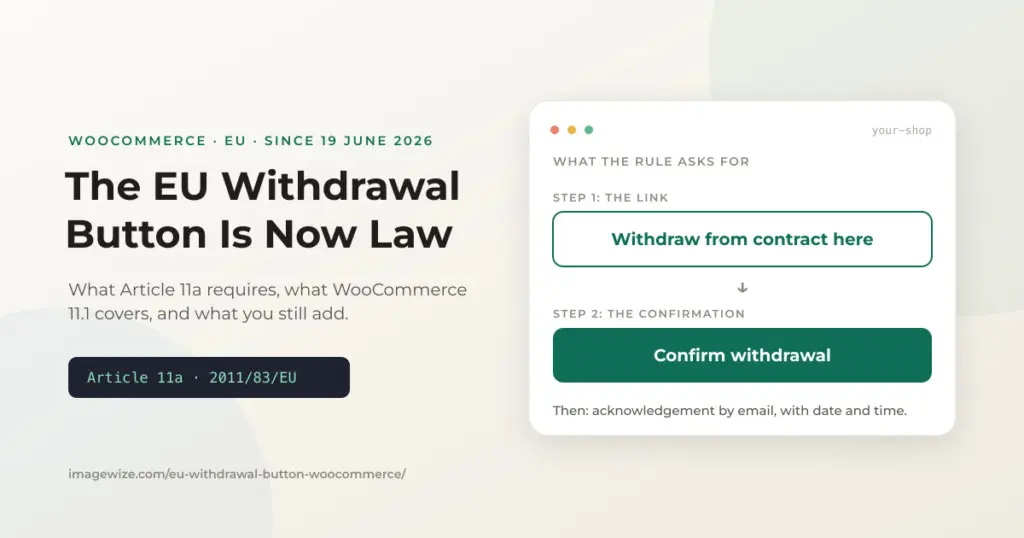
Since June 19, 2026, an online store that sells to EU consumers can no longer treat “email us to cancel” as its withdrawal process. The Consumer Rights Directive now requires a dedicated withdrawal function on the website itself: a clearly labeled entry point, a separate confirmation step, and an acknowledgement sent back to the customer. A generic contact form does not meet that description. It applies wherever the store is based: a US or Australian shop that targets EU shoppers is covered too.
It is easy to miss, because nothing breaks on the day. WooCommerce 11.1 added a built-in order withdrawal form that gets you most of the way there, but it is switched off by default and it leaves a few requirements to you. Here is what the rule says, what the plugin covers, and what is left. We later tested the form and four withdrawal plugins on our demo store; the results are in the Dutch version, Herroepingsknop in WooCommerce.
Quick summary: Article 11a of the Consumer Rights Directive has applied since June 19, 2026. Online stores selling to EU consumers need a withdrawal function that is prominent, available for the whole withdrawal period, and followed by a separate confirmation step and an acknowledgement on a durable medium. WooCommerce 11.1 ships an order withdrawal form (off by default) that handles the request and confirm steps. You still place and label the entry link, and you should test whether the acknowledgement email carries the date and time.
In This Guide
- What the EU Withdrawal Button Rule (Article 11a) Requires
- What WooCommerce 11.1 Covers, and What It Leaves to You
- A Setup Checklist
- What I Have Not Verified
- Frequently Asked Questions
What the EU Withdrawal Button Rule (Article 11a) Requires
Directive (EU) 2023/2673 added Article 11a to the Consumer Rights Directive (2011/83/EU). Member states had to adopt the national rules by December 19, 2025, and apply them from June 19, 2026. It covers distance contracts that a consumer concludes through an online interface, which means your webshop.
The Directive text asks for four things:
- A labeled function. It must read “withdraw from contract here”, or an unambiguous equivalent, and be easy to read.
- Prominent and always available. It must be prominently displayed, easy to reach, and continuously available throughout the withdrawal period.
- A separate confirmation step. The button that completes the request must be labeled only “confirm withdrawal”, or an unambiguous equivalent.
- An acknowledgement. Without undue delay, you send the customer an acknowledgement of receipt on a durable medium, such as email, showing the content of the withdrawal and the date and time it was submitted.
The 14-day withdrawal period itself has not changed. If you want the refresh on deadlines, exemptions and refunds, see our guide to WooCommerce returns and refunds under EU law.
What WooCommerce 11.1 Covers, and What It Leaves to You
WooCommerce 11.1 shipped on September 1, 2026 with a native order withdrawal feature. We covered the first announcement in our WooCommerce 11.0 and 11.1 guide for EU stores. It is off by default. You enable it under WooCommerce > Settings > Advanced > Features, and the form then lives at /my-account/withdraw-order/. Customers do not need to log in. The table below compares it with the four requirements, using WooCommerce’s own order withdrawal documentation.
| Article 11a requirement | WooCommerce 11.1 | Your job |
|---|---|---|
| Labeled “withdraw from contract here” | The documentation gives the form URL but mentions no link or button to it | Add and label the entry link yourself |
| Prominent, always available | The form is reachable without login once enabled | Put the link where customers see it, such as the footer and order emails |
| Separate “confirm withdrawal” step | Yes: the customer reviews the request and picks Confirm withdrawal or Edit details | Nothing, apart from checking the labels in your language |
| Acknowledgement with content, date and time | A customer email called “Order withdrawal request received” is sent if enabled | Send a test and check the email shows the date and time |
Two behaviors matter for how you run the shop. Submitting a request does not cancel the order or issue a refund, so refunds and returns stay manual. And the feature warns on orders older than 14 days based on the order creation date, not the delivery date, which is the date the withdrawal period actually runs from. WooCommerce also states plainly that the feature does not guarantee compliance.
A Setup Checklist
- Update to WooCommerce 11.1 or later, then enable Order withdrawal under Settings > Advanced > Features and save.
- Add a footer or menu link to the withdrawal form, labeled “Withdraw from contract here” or a clear equivalent in your store language.
- Place an order on staging, submit a withdrawal, and read both emails. Confirm the customer email states what was withdrawn and when.
- Make sure the merchant notification goes to a mailbox someone reads. The default recipient is the site admin address.
- Update your returns policy page to name the new form as the way to withdraw. Keep the 14-day, refund and return-shipping information it already carries.
- Decide who handles requests and how fast. The form only records the request, and the 14-day refund clock still starts when you are notified.
For the developers: output a footer link to the withdrawal form
If your theme has no editable footer menu, a few lines in a small plugin or mu-plugin print the link. The endpoint slug is configurable under the Account endpoints setting, so the code builds the URL from the My account page instead of hardcoding it. Adjust the slug if you changed it.
add_action( 'wp_footer', function () {
	$url = wc_get_endpoint_url( 'withdraw-order', '', wc_get_page_permalink( 'myaccount' ) );
	printf(
		'<p class="withdraw-link"><a href="%s">%s</a></p>',
		esc_url( $url ),
		esc_html__( 'Withdraw from contract here', 'your-textdomain' )
	);
} );
What I Have Not Verified
This guide follows the Directive text and WooCommerce’s documentation. Two things sit outside it. First, each member state transposed the Directive into its own law, so exact wording, label language and enforcement differ by country. Check the national rule for the markets you sell into. Second, penalties are set nationally, so I have not quoted a figure. For anything beyond the setup, ask a lawyer who knows consumer law in your market.
Frequently Asked Questions
- Do I need an EU withdrawal button on my WooCommerce store? If you sell online to consumers in the EU, yes, wherever your business is based. Article 11a of the Consumer Rights Directive has applied since June 19, 2026 and requires a withdrawal function on the website, with a separate confirmation step and an acknowledgement sent to the customer.
- Is a contact form enough for the withdrawal function? No. The Directive asks for a labeled withdrawal function that is prominently displayed and available throughout the withdrawal period, followed by a confirmation step. A general contact form is not that.
- Does WooCommerce 11.1 add a withdrawal form? Yes. Order withdrawal is off by default. Enable it under WooCommerce, Settings, Advanced, Features, and the form appears at /my-account/withdraw-order/ without requiring a login.
- Does the WooCommerce form make my store compliant? Not on its own. It handles the request and confirm steps, but you place and label the link to it and check that the acknowledgement email shows the date and time. WooCommerce says the feature does not guarantee compliance.
- Does a withdrawal request cancel the order or refund the customer? No. In WooCommerce 11.1 a request does not change the order status, cancel the order or issue a refund. You process the refund and the return yourself.
Need a WooCommerce Developer for Your Store?
We build and optimize WooCommerce stores for SMEs — from custom checkout flows and payment integrations to performance tuning and ongoing maintenance. Fixed-price quotes available.
- Custom checkout and cart optimization
- Payment gateway integration (Stripe, Mollie, PayPal)
- WooCommerce performance and speed optimization
- Ongoing store maintenance and support