WooCommerce 11.0 and 11.1 for EU Stores: The Changes the Release Recaps Missed
WooCommerce 11.0 shipped on August 4, 2026, followed by 11.0.1 on August 10. Every release recap I’ve read since covers the same three things: product pages load 9–12% faster, guests can now claim their old orders, and analytics got better. All true, all worth having. None of it is the reason an EU store owner should read these release notes carefully before updating.
The change that actually deserves your attention is a quiet one-line adjustment to inventory handling — and it lands harder on European stores than on American ones, because of how we take payment. There’s a second EU-specific change arriving in 11.1 on September 1 that nobody has written about at all yet. This guide covers both, plus the breaking changes that live in WooCommerce’s advisories stream rather than the release notes, and the order to do the upgrade in. Written for store owners by Jasper Frumau — WordPress and WooCommerce developer at Imagewize, based in the EU. Last updated: August 30, 2026.
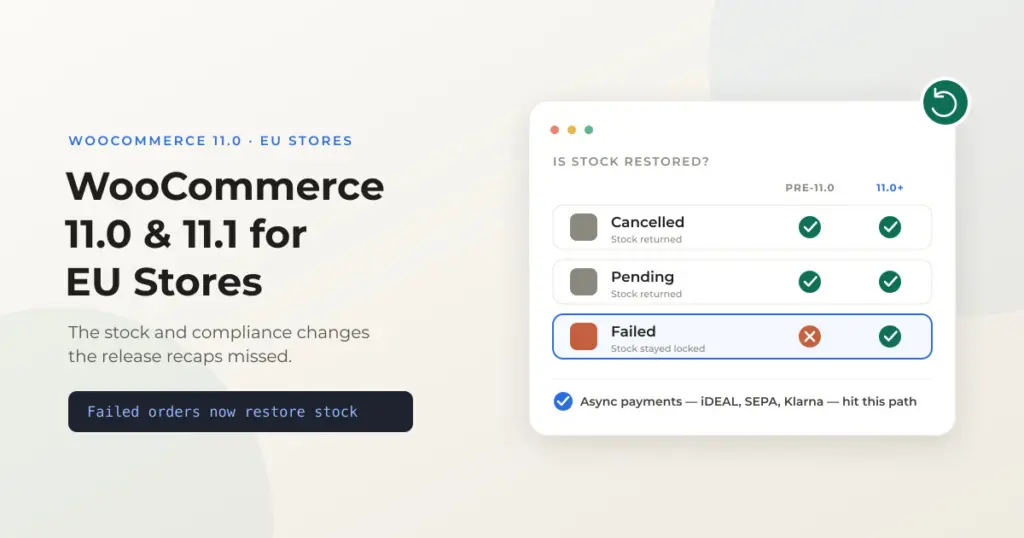
Quick summary: WooCommerce 11.0 (August 4, 2026) now restores stock when an order moves to “failed”. Before, stock was returned on cancelled and pending but not failed, so an on-hold order that reduced stock and later failed kept that stock locked forever. This is a bug fix, and for most stores it’s an improvement — but if you use the failed status for anything other than a rejected payment, inventory will now move under you. It matters more in Europe because we sell on payment methods that settle asynchronously (SEPA Direct Debit, Klarna, Sofort, bank transfer, and iDEAL or Bancontact depending on gateway config), which is exactly the on-hold → failed path this change targets. 11.0 also requires WordPress 6.9+, PHP 7.4+, and a database update, so it is not a click-and-forget upgrade. Then 11.1 lands September 1 with a native EU right-of-withdrawal page at /my-account/withdraw-order/ — off by default, enabled under WooCommerce → Settings → Advanced → Features.
In This Guide
- The Stock Change: Failed Orders Now Return Inventory
- The Related Change: 60-Minute Checkout Stock Reservations
- The Breaking Changes That Live in Advisories, Not Release Notes
- The Product Editor Beta Is Gone (and Why GPSR Stores Should Care)
- PayPal Standard: What’s Actually Happening
- Your Extensions Are the Bigger Security Story
- WooCommerce 11.1: A Native EU Withdrawal Page
- The Upgrade Sequence, in Order
- Should You Upgrade Now or Wait?
- Frequently Asked Questions
The Stock Change: Failed Orders Now Return Inventory
WooCommerce announced this in an advisory on July 17, 2026, three weeks before 11.0 shipped. It did not make the headline feature list, and I haven’t seen a single general release recap lead with it. Here is what changed.
Before 11.0, WooCommerce restored reduced stock when an order moved to cancelled or pending — but not when it moved to failed. That produced a real and fairly common leak: an order reduces stock while it sits on-hold, the payment is later rejected, the order ends up failed, and the stock stays reduced indefinitely. Nothing tells you. You just slowly develop a catalog where the numbers in WooCommerce are lower than the boxes on your shelf, and products go out of stock while you still have them.
From 11.0, an order that reduced stock and then moves to failed gives that stock back. An order that never reduced stock — a pending order that goes straight to failed, say — doesn’t change inventory at all. WooCommerce checks whether stock was actually reduced for that order before touching anything.
Why this is more of an EU story than a US one
WooCommerce’s own advisory says the old behavior “was most visible with asynchronous payment methods”: a payment is accepted for processing, the order moves to on-hold and reduces stock, and the payment is later rejected so the order ends as failed.
That description fits the European checkout far better than the American one. A US store is overwhelmingly card-first, and cards authorize or decline in about a second — there is barely an on-hold window to get stuck in. European stores sell on a much wider mix of methods that genuinely do settle later:
- SEPA Direct Debit — settlement takes days, and mandates can be refused after the order is placed.
- Klarna and other buy-now-pay-later methods — approval can be reviewed and reversed.
- Bank transfer / overboeking — still normal for B2B orders in the Netherlands and Germany.
- iDEAL and Bancontact — fast when they complete, but the redirect to the bank is abandoned often, and depending on how your gateway is configured those orders can sit on-hold before expiring.
If you run a Dutch or Belgian store on Mollie, or a German store on Klarna and SEPA, you have almost certainly been accumulating this drift. The 11.0 fix is good news — but it means your stock numbers will start moving in a way they didn’t before, so do a physical count against WooCommerce before you upgrade rather than after. Otherwise you can’t tell which discrepancies were the old bug and which are genuine. If you want a broader pre-upgrade sweep, our WooCommerce store audit checklist covers the rest of the health checks worth doing at the same time.
For a refresher on which methods to run in which market, and how each one behaves at checkout, see our guide to WooCommerce payment methods for EU stores.
The one case where this bites you
Some stores and extensions use the failed status for things that aren’t payment failures — a manual “this order didn’t work out” bucket, a fraud-review queue, a fulfillment error state, or a custom workflow bolted on by a previous developer. If that’s you, stock you were deliberately holding will now be released back into your catalog the moment an order lands in that status, and you can oversell.
The fix isn’t to fight the new behavior, it’s to stop overloading a payment status with a non-payment meaning. Use a custom order status for your internal workflow. That’s the correct pattern regardless of this release, and it stops the next core change from surprising you the same way.
For the developers: how the stock restoration is wired up
The change hooks WooCommerce’s existing stock-restoration helper onto the failed status transition. The helper is idempotent — it checks the order’s own “stock reduced” flag first, so an order that never reduced stock is left alone.
add_action( 'woocommerce_order_status_failed', 'wc_maybe_increase_stock_levels' );If you maintain an extension that treats failed as a non-payment state, unhook it for your own status transitions rather than removing the action globally — other gateways on the same store rely on it.
The Related Change: 60-Minute Checkout Stock Reservations
11.0 also extends the stock reservation on unfinished checkouts to 60 minutes by default. When a shopper reaches checkout, WooCommerce holds their items so someone else can’t buy them out from under an in-progress payment.
A longer hold is the right call for exactly the same reason the failed-order fix matters here: a redirect to a bank, a Klarna approval screen, or a SEPA mandate takes longer than typing a card number, and a short reservation window meant EU shoppers could lose their basket mid-payment. The trade-off is that low-stock items are held out of circulation longer, which is worth knowing if you sell one-off or very limited pieces. For most stores the default is fine and you should leave it alone.
The Breaking Changes That Live in Advisories, Not Release Notes
WooCommerce publishes an advisories feed separately from its release notes, and that’s where the changes most likely to break a customized store are announced — usually weeks ahead. It’s the single most useful page to follow if you run a store with more than a handful of extensions. Here’s what it carried around 11.0 and 11.1.
| Advisory | Date | What it means for your store |
|---|---|---|
| Failed orders restore reduced stock | Jul 17, 2026 | Inventory now returns on failed orders. See above — the big one for EU stores. |
| Product shipping class becomes a private taxonomy | Jul 9, 2026 | product_shipping_class is no longer public. Any theme or plugin linking to shipping-class archive URLs will break. |
| Removed order items action timing changed | Jul 29, 2026 | Deletion of removed line items is deferred until the order saves, which prevents data loss when an order edit is resumed. Extensions hooking that action fire at a different moment. |
| Reserved item meta keys no longer persisted in admin | Aug 18, 2026 | Internal meta keys stop being written from the admin screens. Anything reading them from a custom report may come back empty. |
| Product lifecycle hooks change in 11.2 | Aug 25, 2026 | Already announced for a release that hasn’t shipped — save and reorder behavior changes. Worth reading now if you have custom product logic. |
Two more things from 11.0 that are easy to miss because they sound like improvements rather than changes. Analytics now counts refunds in the period they actually happened, not the period of the original order — so your month-on-month comparisons will shift, and a report you exported in July won’t reconcile with the same report run today. And session counting is stricter, filtering out bots and very short connections, which means your conversion rate will appear to improve on the same real traffic. Neither is a bug. Both will confuse you in a board meeting if you don’t know they happened.
Also note that Action Scheduler is upgraded to 4.0.0 in this release. That’s the background job runner behind subscription renewals, scheduled emails, and most bulk operations. It’s a major-version bump inside a WooCommerce update, which is exactly the kind of thing that surfaces on a busy store and not on a quiet staging site.
The Product Editor Beta Is Gone (and Why GPSR Stores Should Care)
11.0 completes the removal of the block-based product editor beta: the package, the feature toggle, the editor routes, and the extension points that hung off them. If you had it switched on, you’re back on the classic product editor. No product data is migrated or lost — the underlying data layer never changed, which is why this is a low-drama removal for most stores.
The stores that need to check something are the ones with custom product fields, and in the EU that increasingly means GPSR. Since December 2024, products sold to EU consumers need manufacturer details, an EU responsible person, and safety warnings surfaced on the product page — and most implementations add those as custom fields in the product editor. If yours were registered against the beta editor’s extension points rather than the classic metabox API, those fields disappear from your editing screen in 11.0. The data stays in the database; you just lose the interface for maintaining it, which you won’t notice until someone tries to add a product.
Open one product on staging after upgrading and confirm every custom field you rely on is still there and still editable. If you’re implementing GPSR fields from scratch, our walkthrough of GPSR requirements on the WooCommerce product page is in German but the code and field structure are language-neutral.
PayPal Standard: What’s Actually Happening
This one has been reported with more alarm than it deserves, so let’s be precise about it. WooCommerce’s June 24, 2026 advisory confirms PayPal is retiring PayPal Standard. What it does not say is that your checkout is about to break.
- If your store still uses PayPal Standard today, nothing breaks right now. WooCommerce’s wording is “now is the time to plan your move,” not “act before a cutoff.”
- With PayPal Payments 4.1.0, PayPal Standard is automatically disabled and hidden once you connect a PayPal account to the modern integration. That’s the migration path, and it’s largely handled for you.
- If you have active or pending-cancel subscriptions still billing through PayPal Standard, the plugin detects them and deliberately leaves the gateway in place so your subscribers keep getting charged. This is the detail that matters most and gets left out of the summaries.
- This has been a long runway, not a surprise: PayPal Standard was hidden on new installs from WooCommerce 5.5, and the bundled core gateway was removed entirely in WooCommerce 8.9 (May 2024).
So: plan it, do it deliberately, and do it outside your peak trading weeks. Don’t let a headline push you into migrating a live payment method in a hurry — that’s how you actually lose orders. And for most EU stores PayPal is a secondary method anyway; your iDEAL, Bancontact, or SEPA flow through Mollie or Stripe is the one that carries the revenue and deserves the careful testing.
Your Extensions Are the Bigger Security Story
Core WooCommerce gets the attention, but the advisories that landed in July and August 2026 were about extensions, and those are the ones sitting directly in your payment path:
- Security update for Stripe for WooCommerce — August 6, 2026.
- Security update for WooCommerce Subscriptions — August 5, 2026.
- Stripe payment validation issue patched — July 14, 2026, affecting stores using Adaptive Pricing.
There’s a pattern worth naming here. Core WooCommerce broke Stripe compatibility in 10.9.0 and had to ship an emergency hotfix in 10.9.1 the very next day (June 24, 2026). Then 10.9.3 fixed fatal errors from email filters, and 10.9.4 fixed VAT exemption logic in the block checkout. None of that makes WooCommerce unstable. It does tell you where the sharp edges are: payment and tax code, fixed in the dot releases. Read the dot-release notes. Don’t auto-update payment-adjacent code during a peak trading week.
Note for B2B stores: the 10.9.4 release (July 7, 2026) fixed VAT exemption logic in the block checkout. If you sell B2B across borders and you moved to the block checkout, reverse-charge exemptions may have been applied incorrectly before that release. It’s worth spot-checking a few B2B invoices from the June–July window against what should have been charged. Our EU VAT setup guide covers how reverse charge is meant to behave.
WooCommerce 11.1: A Native EU Withdrawal Page
This is the change I’d flag hardest for anyone selling to EU consumers, and as of writing it has had essentially no coverage. WooCommerce 11.1 is scheduled for September 1, 2026, and it adds a built-in implementation of the EU right of order withdrawal.
Under the EU Consumer Rights Directive, shoppers have 14 days from delivery to withdraw from most online purchases. Until now, WooCommerce had nothing for this in core — every store built its own contact form, email address, or third-party returns plugin. From 11.1 there’s a first-party path.
- It adds an account page at
/my-account/withdraw-order/where customers submit a withdrawal request. - Submitting does not require the customer to be logged in — which matters, because a large share of EU orders are guest checkouts.
- Requests are routed to you by email and an inbox notification, and are attached to the matching order as an order note when the customer’s details line up.
- It is disabled by default. You turn it on under WooCommerce → Settings → Advanced → Features.
Two caveats before anyone treats this as a compliance box ticked. First, because it’s off by default, upgrading to 11.1 changes nothing on your storefront until you deliberately enable it — so it won’t appear and confuse your customers, but it also won’t help you unless you act. Second, and more important: a request form is not compliance. The Directive requires you to disclose the right of withdrawal before purchase, to refund within 14 days of being notified, and to state clearly who pays return shipping. A page that collects requests helps you handle the workflow; it doesn’t satisfy the disclosure or the refund deadline. Our guide to WooCommerce returns and refunds under EU law covers what you actually have to publish and process. Since June 19, 2026 the withdrawal function itself is also required on the site: our EU withdrawal button guide covers what Article 11a asks for and what this WooCommerce form leaves to you.
Read alongside the 10.9.4 VAT fix and the stock work, there’s a clear direction of travel: WooCommerce is steadily absorbing European compliance requirements into core rather than leaving them to plugins. That’s good for EU store owners, and it’s a reasonable argument for staying reasonably current rather than freezing on an old version.
The Upgrade Sequence, in Order
11.0 requires a database update and raises the floor to WordPress 6.9 and PHP 7.4. It’s tested up to WordPress 7.0.4. A database update means the upgrade is not trivially reversible: restoring an older WooCommerce over an updated database is not a supported path, so your rollback plan is a full site restore, and that only exists if you took a backup first.
It’s also worth remembering that 11.0 was delayed from July 28 to August 4 because release-candidate testing found a fatal error caused by one of the new performance features. The team caught it before release, which is the system working — but it tells you where the risk in this particular release sits.
- Take a full backup — database and files. This is your only rollback.
- Do a physical stock count against WooCommerce, before the failed-order change starts moving numbers. Do this first or you’ll never separate old drift from new behavior.
- Confirm WordPress 6.9+ and PHP 7.4+. If you’re below either, fix that as its own separate step, on its own day.
- Upgrade on staging, not production. Run the database update there and see how long it takes — on a large order table it is not instant.
- Place a real test order through every live payment method — every one, not just the card path. Then deliberately fail one and confirm the stock comes back correctly.
- Open a product and check your custom fields, especially GPSR and any fields a previous developer added.
- Check anything using shipping classes — the taxonomy is now private, so archive links break.
- Update production in a quiet window, run the database update, then re-test one order end to end on the live site.
If you don’t have a staging environment, that’s the actual finding here, not the upgrade. A store taking real money needs somewhere to break things safely — every site on our managed WordPress hosting gets staging and backups as standard, precisely so a release like this is a routine afternoon rather than a gamble.
Should You Upgrade Now or Wait?
My honest answer for most EU SME stores: upgrade, but do it deliberately in the next few weeks rather than today or in December.
11.0.1 has been out since August 10 and the initial round of regressions has been shaken out. 11.1 arrives September 1, so if you’re currently well behind you may prefer to do a single planned jump onto 11.1 rather than two upgrades three weeks apart. What you should not do is sit on a version from earlier in the year and then attempt the leap in November, with peak trading underway and a database update in the middle of it.
Being a couple of majors behind is more normal than the release notes make it sound — I regularly take over stores that are two or three versions back, and the update itself is rarely the hard part. The hard part is the extensions nobody has looked at in two years, and the fact that no one has ever tested a restore. If that describes your store, do the backup and the stock count first, and treat the version number as the last step rather than the first.
Frequently Asked Questions
- When was WooCommerce 11.0 released? WooCommerce 11.0 was released on August 4, 2026, delayed by one week from its original July 28 date after release-candidate testing found a fatal error in a new performance feature. A patch release, 11.0.1, followed on August 10, 2026.
- What are the minimum requirements for WooCommerce 11.0? WooCommerce 11.0 requires WordPress 6.9 or higher and PHP 7.4 or higher, and it is tested up to WordPress 7.0.4. The update also runs a database update, so a full backup is essential before you start.
- Does WooCommerce 11.0 change how stock is handled? Yes. From 11.0, an order that reduced stock and later moves to the failed status has that stock restored automatically. Previously stock was returned on cancelled and pending orders but not failed ones, so stock could stay reduced indefinitely after a rejected payment.
- Why does the failed-order stock change matter more for EU stores? Because European stores rely heavily on payment methods that settle asynchronously, such as SEPA Direct Debit, Klarna, bank transfer, and iDEAL or Bancontact depending on gateway configuration. Those methods produce the on-hold to failed path this change targets, whereas card-first stores authorize almost instantly.
- Will upgrading to WooCommerce 11.0 delete my product data? No. The product editor beta is fully removed in 11.0, but no product data is migrated or lost — the underlying data layer is unchanged and products remain editable in the classic editor. Check any custom product fields still appear, since fields registered against the beta editor’s extension points will lose their interface.
- Do I need to migrate off PayPal Standard immediately? No. PayPal Standard is being retired, but nothing breaks right now and WooCommerce’s guidance is to plan the move rather than rush it. Connecting a PayPal account to PayPal Payments 4.1.0 disables and hides PayPal Standard automatically, and stores with active subscriptions on it keep the gateway so subscribers continue to be billed.
- What does WooCommerce 11.1 add for EU stores? WooCommerce 11.1, scheduled for September 1, 2026, adds a native EU right-of-withdrawal page at /my-account/withdraw-order/ where customers can submit withdrawal requests without logging in. It is disabled by default and is enabled under WooCommerce → Settings → Advanced → Features.
- Does the 11.1 withdrawal page make my store EU-compliant? No. It handles the request workflow, but the Consumer Rights Directive also requires you to disclose the right of withdrawal before purchase, refund within 14 days of being notified, and state who pays return shipping. The page helps you process requests; it does not replace a compliant returns policy.
Need a WooCommerce Developer for Your Store?
We build and optimize WooCommerce stores for SMEs — from custom checkout flows and payment integrations to performance tuning and ongoing maintenance. Fixed-price quotes available.
- Custom checkout and cart optimization
- Payment gateway integration (Stripe, Mollie, PayPal)
- WooCommerce performance and speed optimization
- Ongoing store maintenance and support